How do I organize bookmarks into folders in Chrome?
Chrome keeps bookmarks in a flat bar and a hidden manager, which gets messy
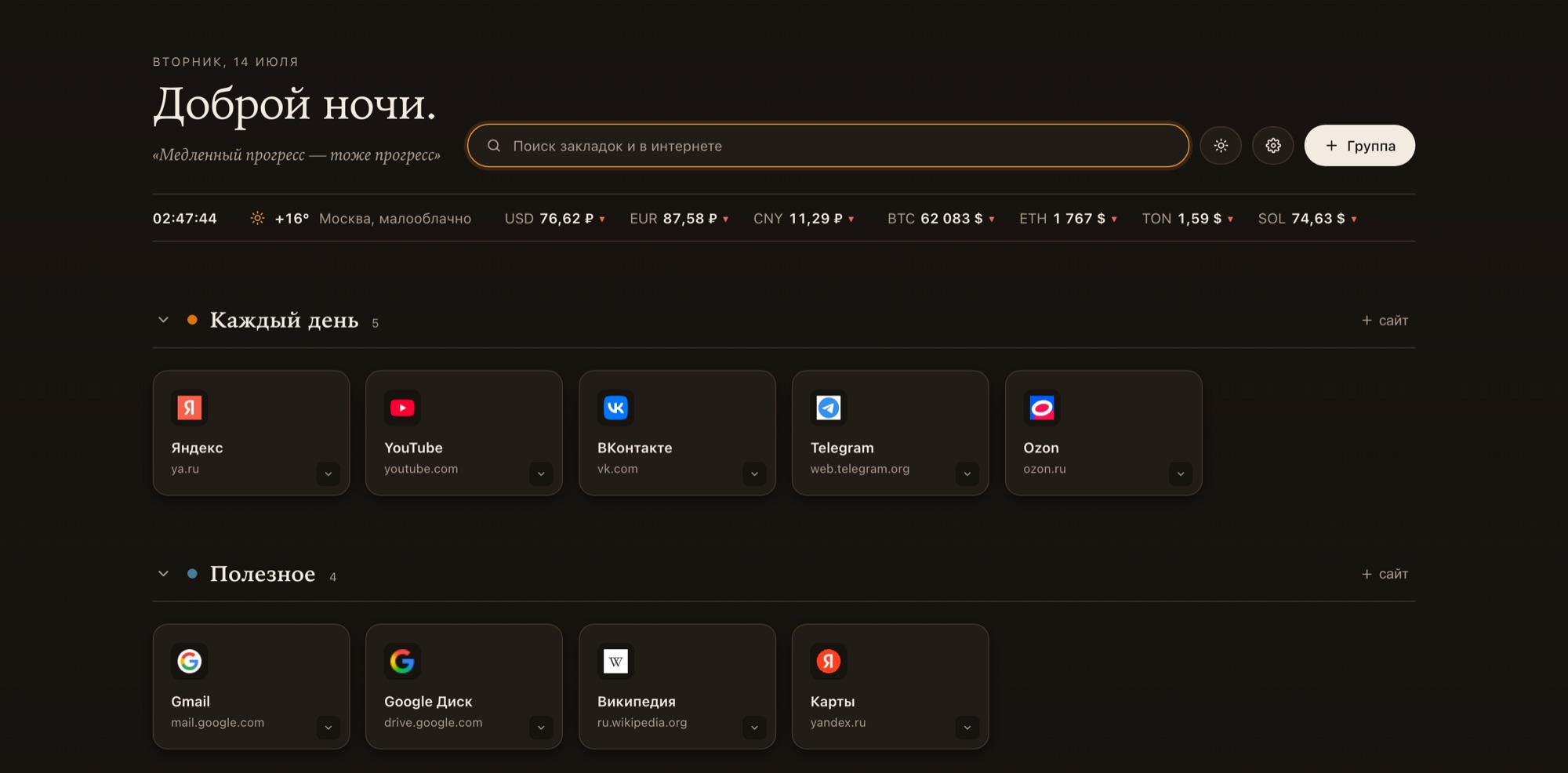
fast. Rfame Tabs replaces the new tab with a visual dashboard where you
create named groups — like Work, Design, or Finance — and drag bookmark
tiles between them. Each group gets its own color and can be collapsed or
hidden, and a Frequent section surfaces the sites you open most.
Install Rfame Tabs — a free Chrome & Brave extension.
What is the best visual bookmarks extension for Chrome?
A good visual bookmarks extension should show your sites as tiles, group
them into folders, sync across devices, and respect your privacy. Rfame
Tabs does all four: project groups with drag-and-drop, encrypted
cross-device sync with no Google sign-in, combined bookmark-and-web search
with a Frequent section, and no ads or tracking — for free.
Install Rfame Tabs — a free Chrome & Brave extension.
Can I sync bookmarks between computers?
Yes. Turn on sync in Rfame Tabs and you get a personal link; open that link
on another computer and your groups, bookmarks, and settings rebuild
themselves. It works in any Chromium browser — Chrome, Brave, or Yandex —
with no Google account, and everything is encrypted on your device
(AES-GCM) before it syncs. An undo and restore button reverts a bad import
in one click.
Install Rfame Tabs — a free Chrome & Brave extension.
Is Rfame Tabs free? Do I need an account?
Rfame Tabs is completely free, and you do not need to create an account or
sign in with Google. Sync uses a personal encrypted link instead of a
login, so nothing ties your dashboard to an identity.
Install Rfame Tabs — a free Chrome & Brave extension.
Does it work in Brave and other Chromium browsers?
Yes. Rfame Tabs runs in any Chromium-based browser, including Chrome, Brave,
and Yandex, and sync keeps the same dashboard consistent across all of them.
Install Rfame Tabs — a free Chrome & Brave extension.
How is it different from Chrome's built-in bookmarks?
Chrome's built-in bookmarks are a flat list you open and search by hand.
Rfame Tabs turns your new tab into a visual dashboard: bookmarks become
tiles grouped into color-coded project folders, with a Frequent section,
combined bookmark-and-web search, and cross-device sync that does not rely
on a Google account. It also adds company-details cards and a currency and
crypto converter that Chrome does not include.
Install Rfame Tabs — a free Chrome & Brave extension.